As I’ve often experienced, crafting content with AI feels like an intricate dance of verbose prompts. It requires a level of detail that could easily be conveyed in fewer words—if only there were a more streamlined approach.
Then, I stumbled upon a fascinating article by Analytics Vidhya that sparked a new wave of inspiration in my mind. You can check it out here: Analytics Vidhya – JSON Prompting.
After experimenting with a few image generations, I was genuinely impressed by the output. However, I couldn’t help but notice that the JSON prompts discussed in the article tend to be more enriched compared to their traditional counterparts.
I foresee that this innovative form of prompting will be particularly well-suited for Vibe coding. Excited to dive in, I can’t wait to try something out quickly!
let’s do the same comparison:
first use this prompt:
Create a responsive webpage displaying a Pokémon index featuring 6 Pokémon: Pikachu, Bulbasaur, Jigglypuff, Meowth, Charizard, and Eevee. Each Pokémon should be presented as a card.
When a card is clicked, it should expand to reveal more detailed information about that Pokémon:
Pikachu:”type”: “Electric”,
“height”: “0.4 m”,
“weight”: “6.0 kg”,
Bulbasaur:”type”: “Grass/Poison”,
“height”: “0.7 m”,
“weight”: “6.9 kg”,
Jigglypuff:”type”: “Normal/Fairy”,
“height”: “0.5 m”,
“weight”: “5.5 kg”,
Meowth:”type”: “Normal”,
“height”: “0.4 m”,
“weight”: “4.2 kg”,
Charizard:”type”: “Fire/Flying”,
“height”: “1.7 m”,
“weight”: “90.5 kg”,
Eevee:”type”: “Normal”,
“height”: “0.3 m”,
“weight”: “6.5 kg”,
Responsive, Pokémon-themed design with vibrant colors and card animations
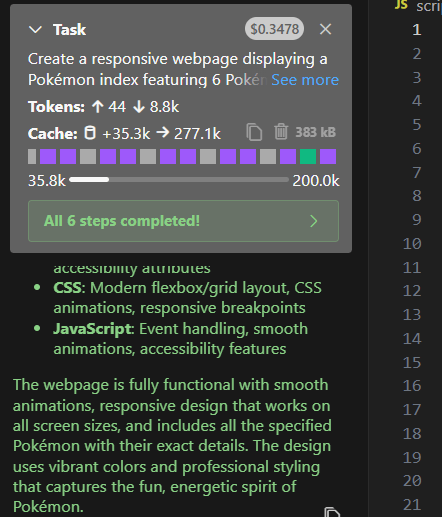
Cline executed the task with 0,34$
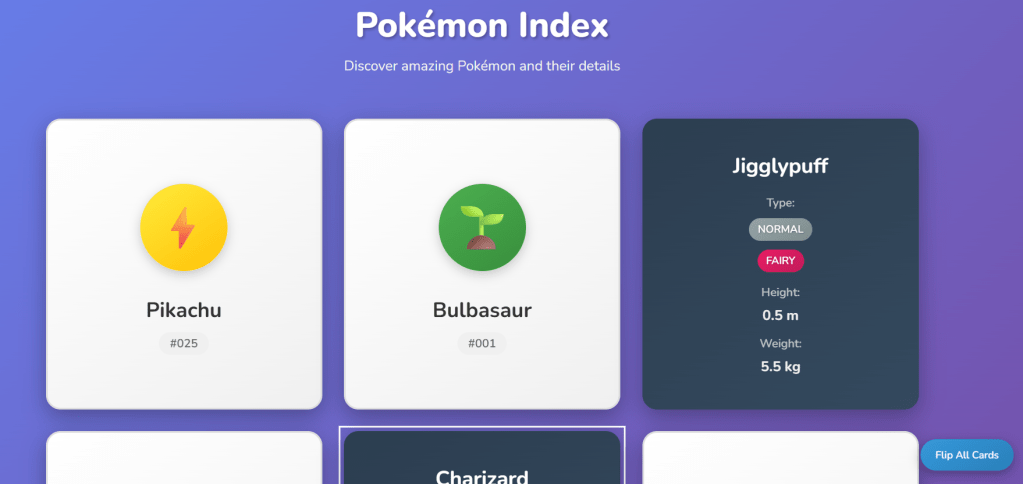
the page seems correct
now let’s start from scratch using json

and let’s give this prompt
{
“task”: “Create a webpage for a Pokémon index”,
“description”: {
“content”: “A webpage displaying 6 Pokémon in a card-based layout with animated images”,
“pokemons”: [
{
“name”: “Pikachu”,
“type”: “Electric”,
“height”: “0.4 m”,
“weight”: “6.0 kg”
},
{
“name”: “Bulbasaur”,
“type”: “Grass/Poison”,
“height”: “0.7 m”,
“weight”: “6.9 kg”
},
{
“name”: “Jigglypuff”,
“type”: “Normal/Fairy”,
“height”: “0.5 m”,
“weight”: “5.5 kg”
},
{
“name”: “Meowth”,
“type”: “Normal”,
“height”: “0.4 m”,
“weight”: “4.2 kg”
},
{
“name”: “Charizard”,
“type”: “Fire/Flying”,
“height”: “1.7 m”,
“weight”: “90.5 kg”
},
{
“name”: “Eevee”,
“type”: “Normal”,
“height”: “0.3 m”,
“weight”: “6.5 kg”
}
],
“functionality”: “Each Pokémon card shows an animated image and name by default. Clicking a card toggles an expanded view with type, height, and weight.”,
“style”: “Responsive, Pokémon-themed design with vibrant colors and card animations”
},
“constraints”: {
“tech_stack”: {
“html”: “Standard HTML5”,
“css”: “Tailwind CSS via CDN”,
“javascript”: “Vanilla JavaScript”
},
“layout”: “Responsive grid with 2-3 cards per row on desktop, 1 per row on mobile”,
“interactivity”: “Click to toggle card expansion, smooth transitions”,
“image_format”: “Animated images (e.g., short animation sequences), fallback to static PNG if animated not available”
},
}
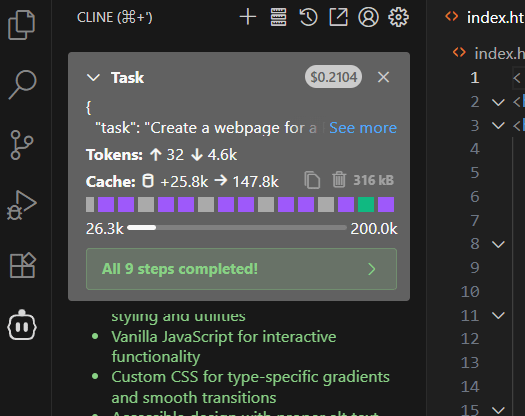
what I immediately notice is that the operation now has been fast and, probably due to the tech stack I specified (I should have done also in the other example:( ) it created just one single html file with less money
application looks ok as well
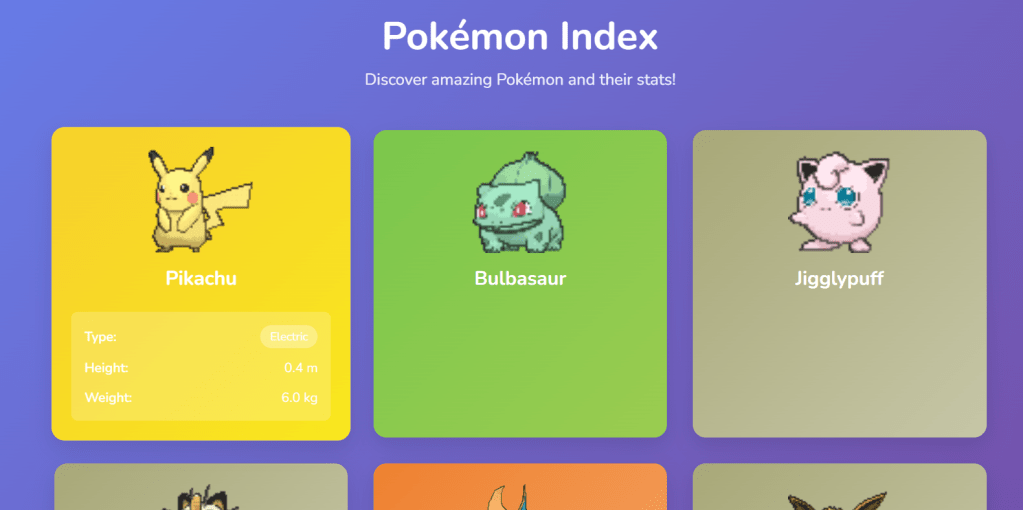
key takeway is that JSON prompting seems to perfectly fit the vibecode use case as allow to go deeper into the details.
HOWEVER it needs some technical expertise to correctly create and format the JSON
Would a JSON prompter (plain text to JSON) help in your opinion?
 VibeOps
Leave a comment